Monitor and operate runtime data on Windows
Read project configuration, monitor tags, alarms, trends, parameters, operation records, and diagnostics, and submit controlled changes when runtime rules allow.
- Windows desktop
- Licensed runtime points
- Controlled writes
Implemented core capabilities
Tag monitoring
Monitor current values, quality, timestamps, and runtime status from project tag data.
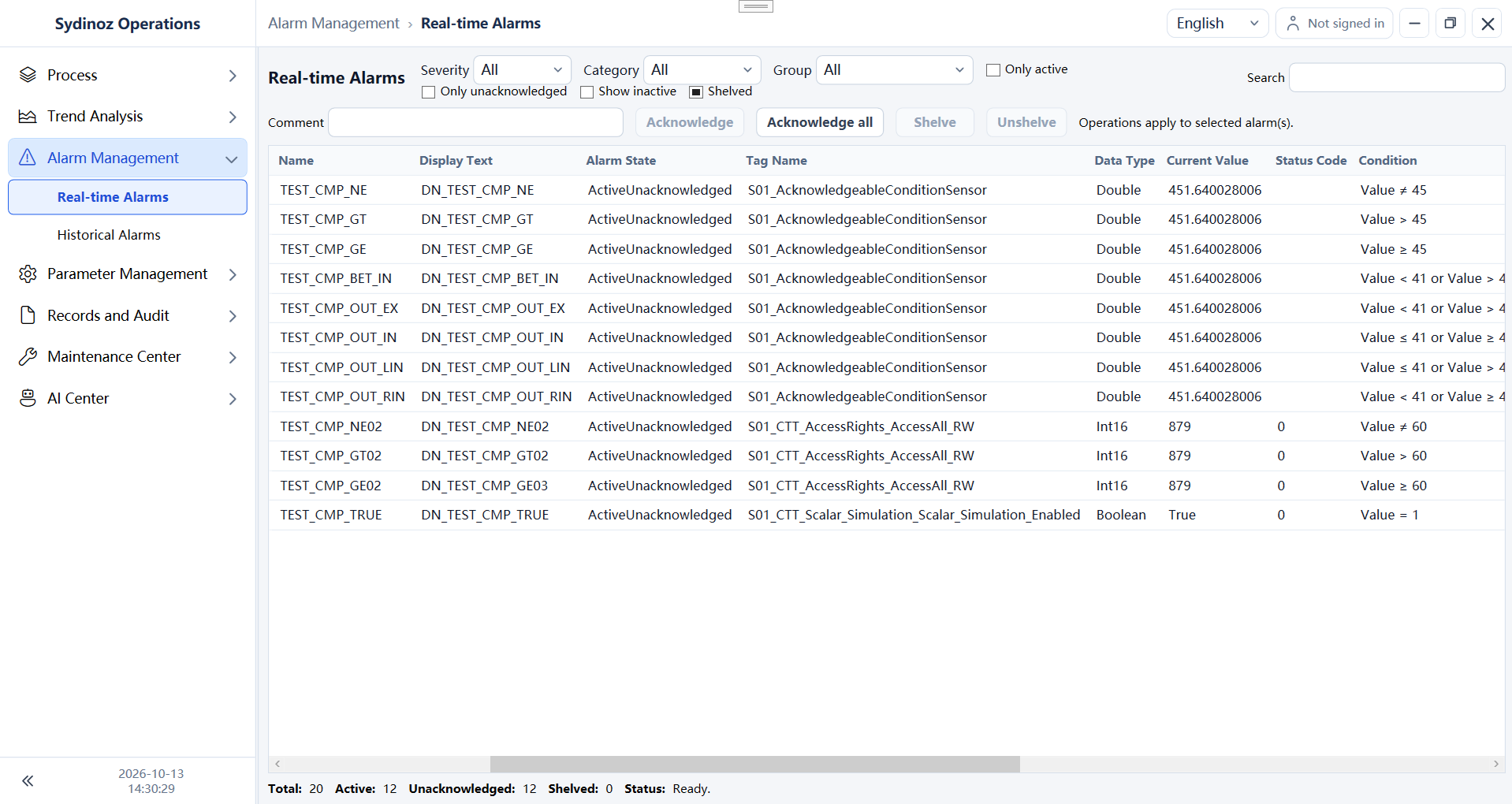
Alarm handling
Query current and historical alarms and review handling state in the runtime client.
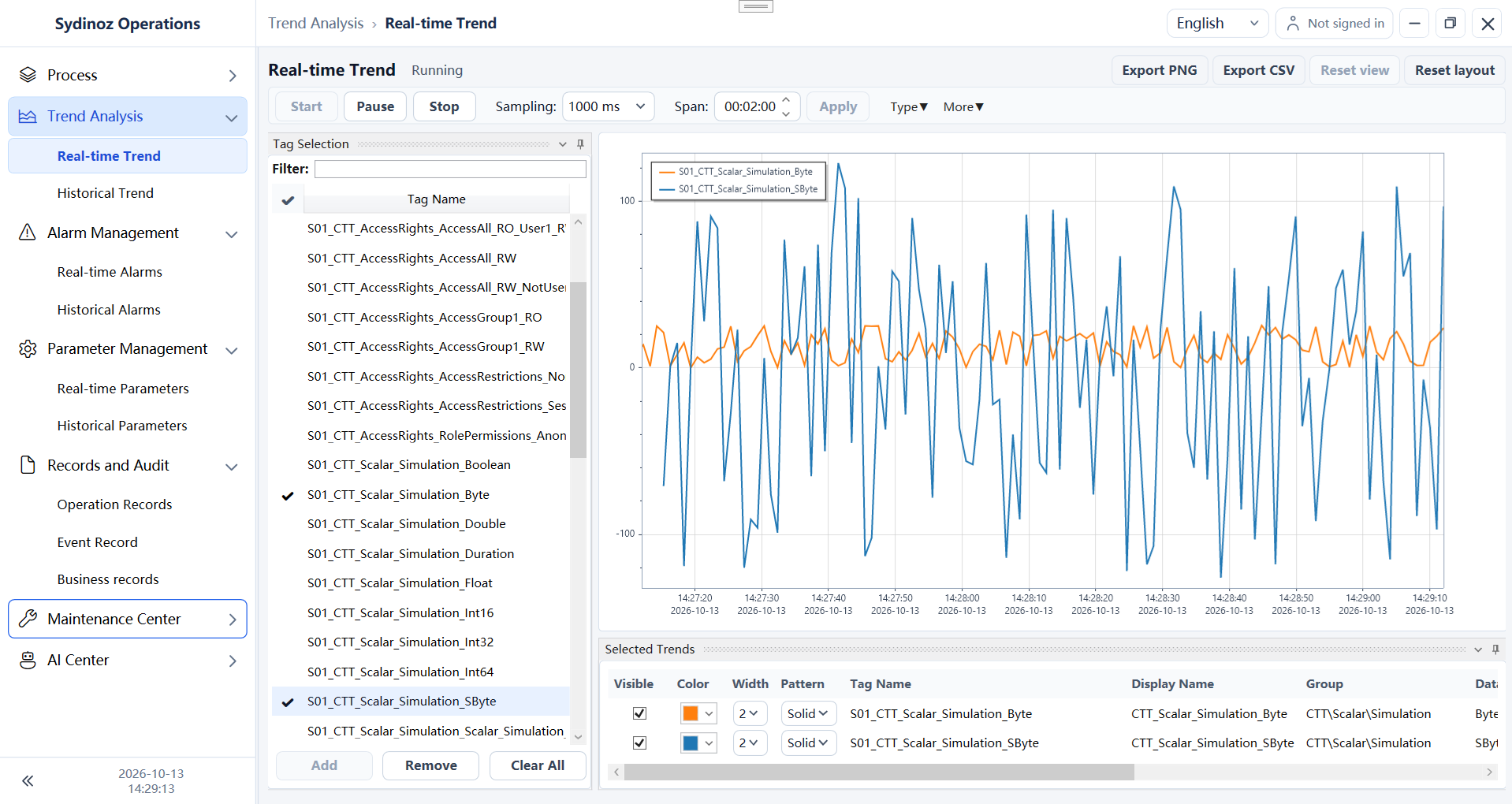
Trend viewing
Compare live and historical trends, zoom and pan curves, use dual axes, and export PNG or CSV when project data is available.
Parameter operation
View current and historical parameters and submit controlled writes only after validation.
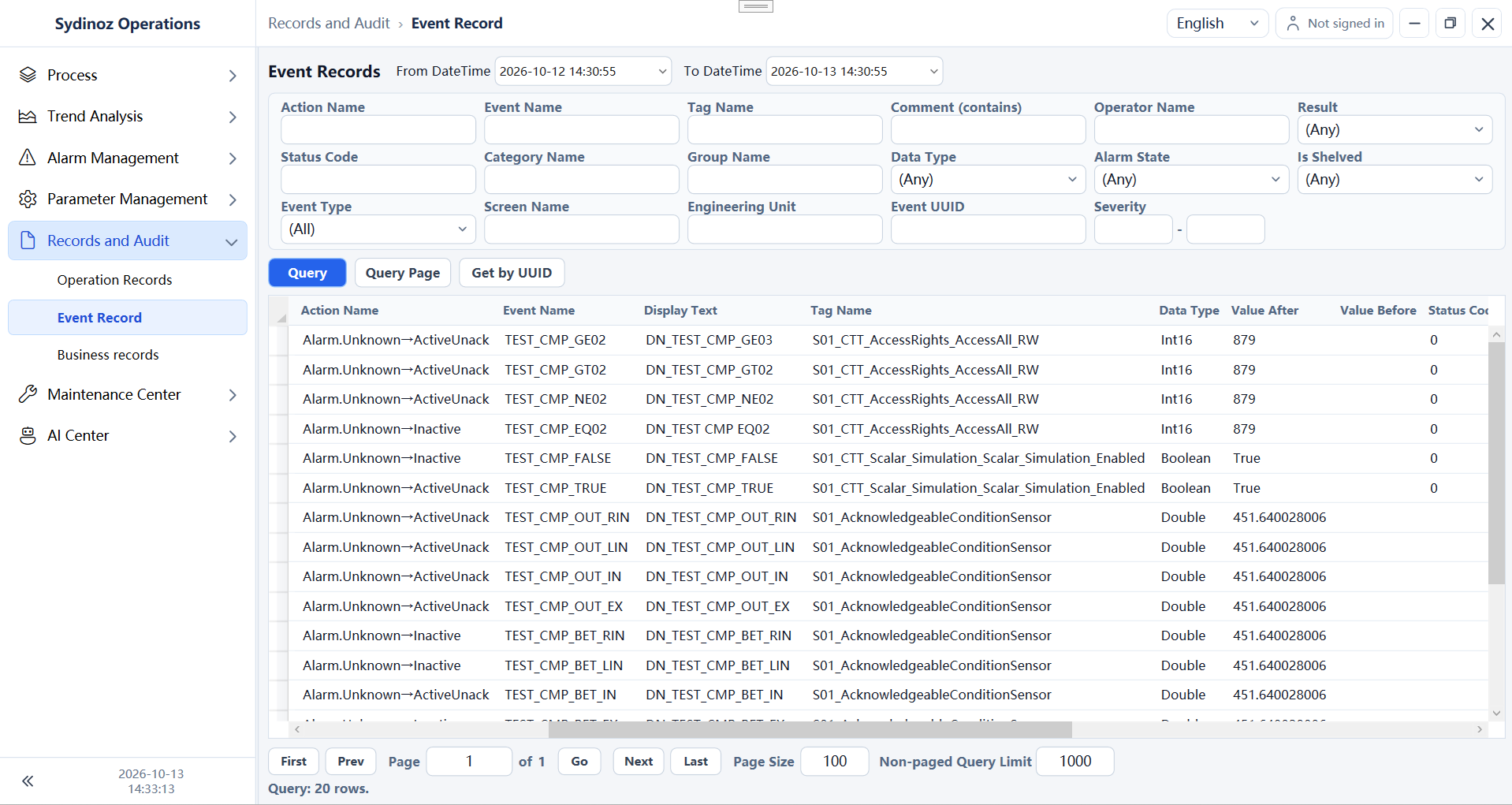
Runtime audit
Search operation history and event records for troubleshooting and handover.
Diagnostic search
Filter and page application diagnostics inside the desktop runtime client.
AI assistant and voice
All four editions include an AI assistant, voice input and spoken feedback. Choose licensed runtime-point capacity to suit your project.
A clear four-step path
- 1
Sign in
Enter an authorized runtime project.
- 2
Monitor
Review tags, quality, alarms, and license capacity.
- 3
Operate
Acknowledge alarms or submit allowed tag and parameter changes.
- 4
Trace
Use trends, audit records, and diagnostics to reconstruct events.
Where this product fits
- Control-room monitoring
- Equipment exception investigation
- Controlled process-parameter adjustment
- Shift handover and operational review
Licensing, requirements, and boundaries
Licensing and editions
By licensed runtime points
Operational capacity is controlled by the runtime-point allowance in the license.
Project-specific validation
Data quality and final write behavior depend on Gateway, devices, networks, and engineering configuration.
Technical requirements
- Windows WPF desktop application targeting net10.0-windows.
- Requires valid project configuration and available runtime data services.
- Trends require available live data and, for historical queries, a configured history source. Validate real device connections and sustained load on the target system.
- Database capacity, retention, hardware, multi-screen, and continuous-runtime specifications remain project-specific.